Capture Contracted Number of Rooms by Room Type for Groups
Stay allows users to track the number of rooms contracted for each room type of a group for each night. This number refers to the number of rooms required from each room type for a group at the time of booking the reservation.
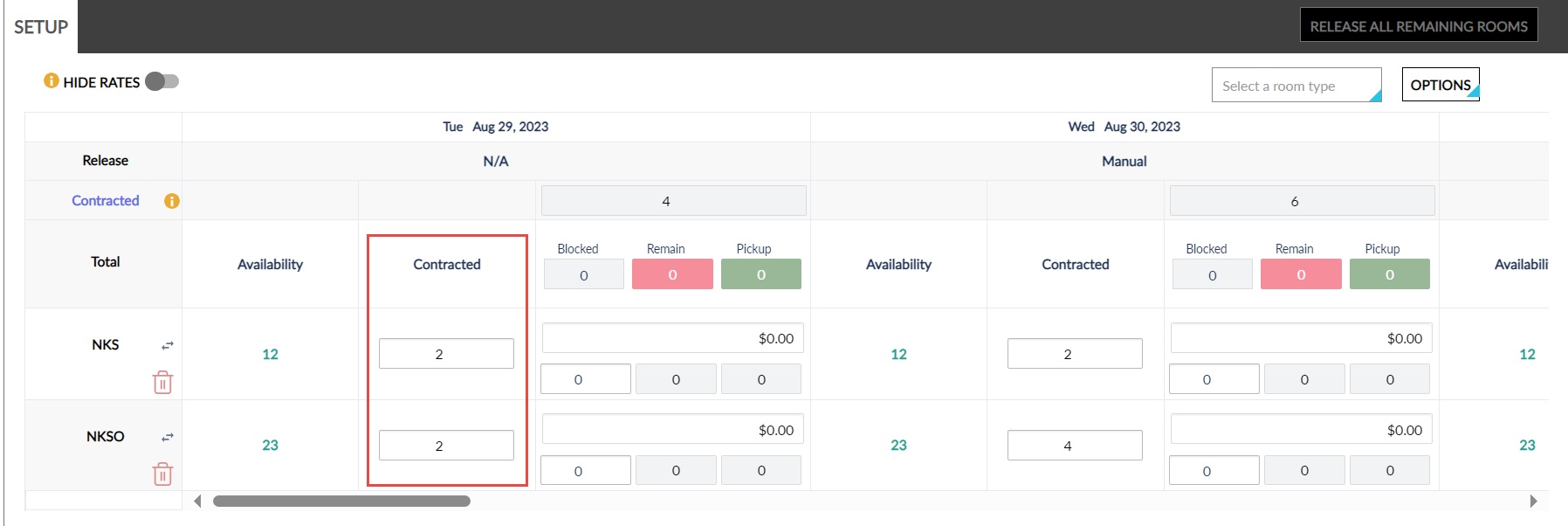
Users can update the number of rooms contacted for each room type for each night under the Contracted column that is available in the Setup section of the Room Blocks tab of groups. When users update the value in the Contracted field of a room type, the rooms count is updated in the Contracted summary field for each night automatically.
Users cannot modify the room count displayed on the Contracted summary field. Users can only modify the contract value for each room type.
The Contracted column in the Group Summary Report (Legacy and Dynamic) displays the contract value configured for each room type.